From Grade, select to view By Standard. If enabled by your school, a Final Rating score entry column for each child standard will display. If enabled by your school, the overall standard score for each student will be shown in the standards' column. 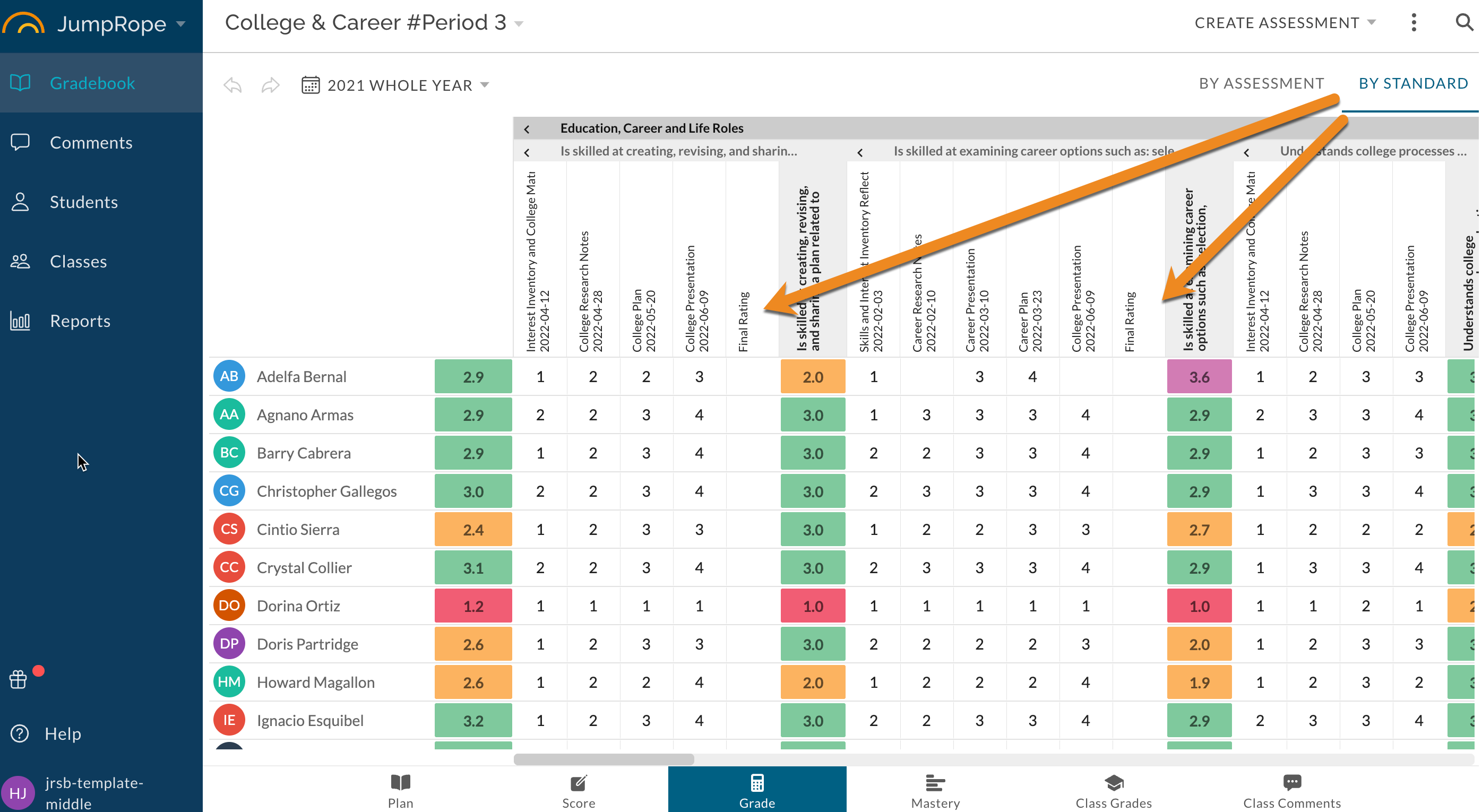
For the desired students and child standards, enter a Final Rating score.
Final ratings entered for standards are an end-of-course override score, and will supersede any calculated score for the child standard on reports that are run to the end of the JumpRope school term for the given student.
For more information see Final Rating - Reference.
If enabled by your administration, you may have access to enter an override for a Course Grade.
Was this article helpful?
That’s Great!
Thank you for your feedback
Sorry! We couldn't be helpful
Thank you for your feedback
Feedback sent
We appreciate your effort and will try to fix the article