The first step in working with Course Plans is to create the name and searchable elements, see here: How to - Create a new Course Plan and Course Plans - Overview
Manage content in an existing Course Plan
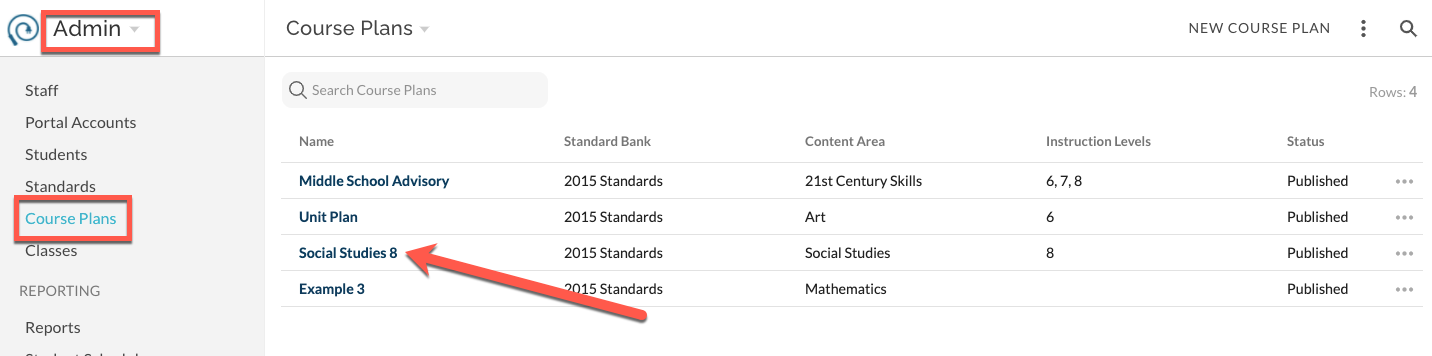
- Navigate to Admin -> Course Plans, click on the Name of the desired Course Plan
- A Plan view opens that is specific to the selected Course Plan
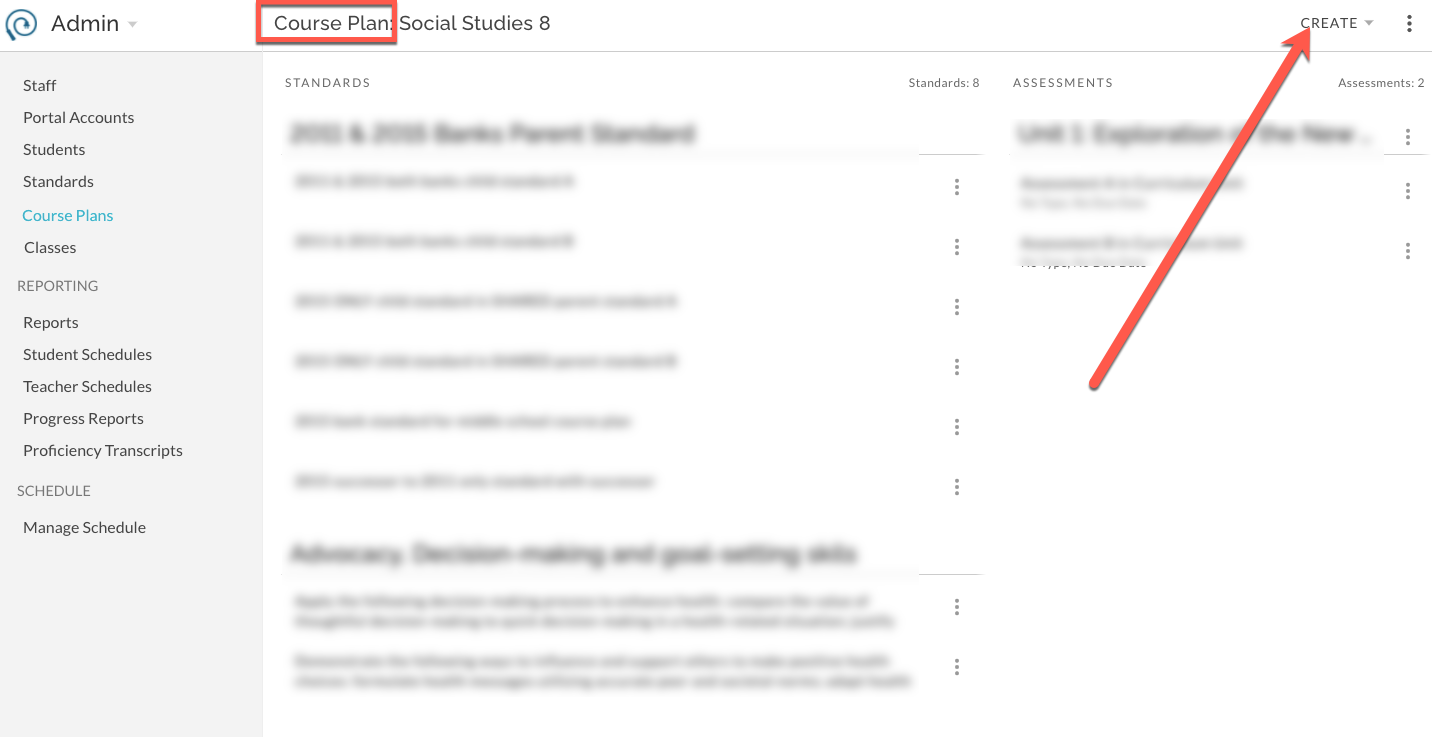
- Use Create menu to build the Course Plan in the same way that you would build for an individual Class. (How To - Add Standards to your Class via Create and How To - Create a New Assessment in PLAN)
- Use the Plan features to edit Assessments and/or Standards in the same way that you would for an individual Class. (How To - Edit Assessments)
If the status of the Course Plan is "Published", the Course Plan will be immediately available to teachers via their individual Gradebook -> Plan -> Create -> Standards or Assessments from Bank -> Course Plans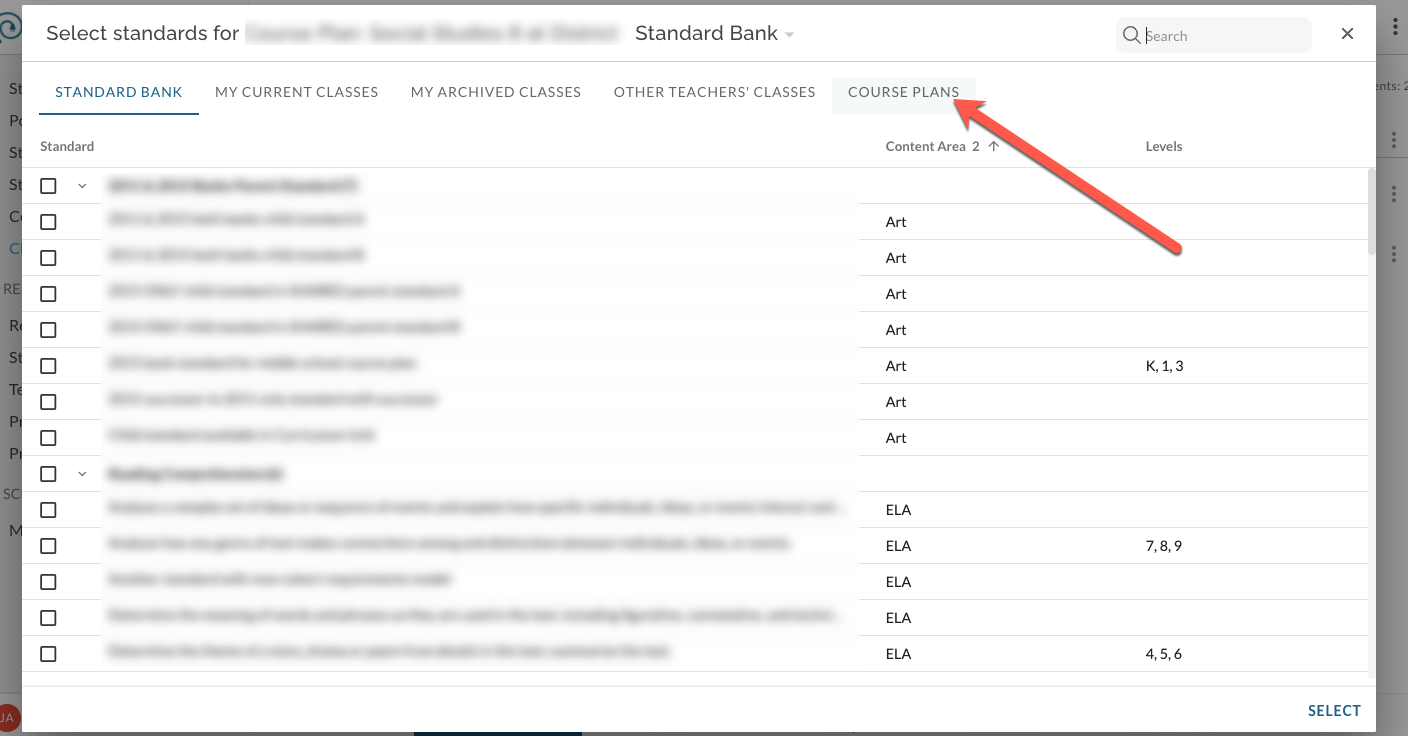
Was this article helpful?
That’s Great!
Thank you for your feedback
Sorry! We couldn't be helpful
Thank you for your feedback
Feedback sent
We appreciate your effort and will try to fix the article