As a teacher or other staff user, if enabled, you can add a field to a student's profile.
Navigate to a Student and select Profile.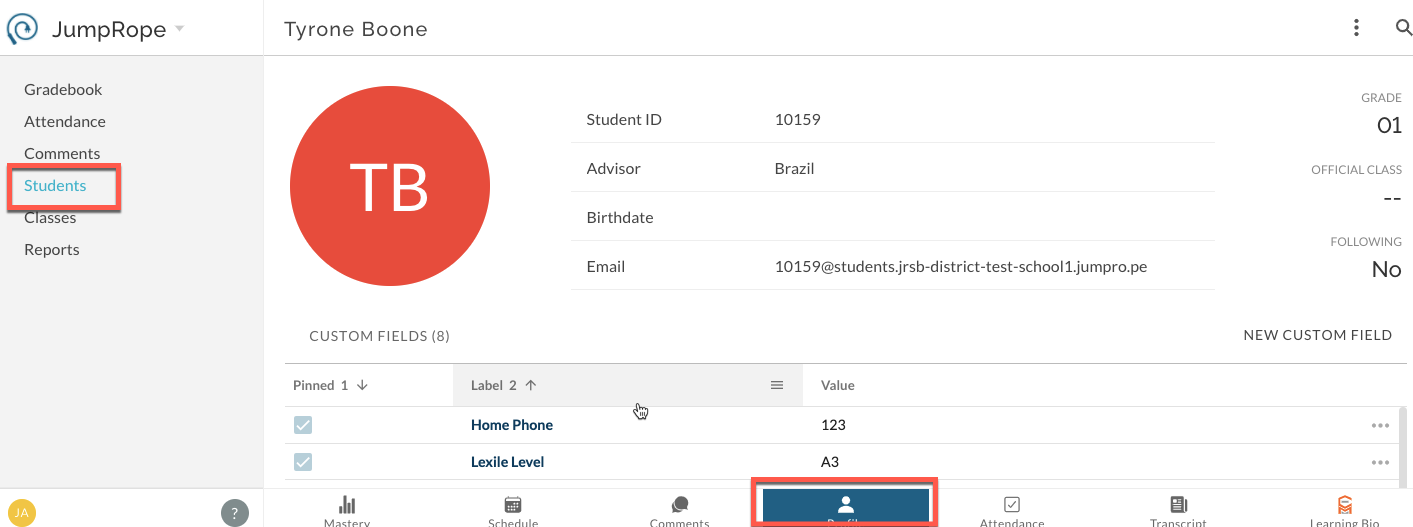
Select New Custom Field and create the item for the student. This field will only apply to this student.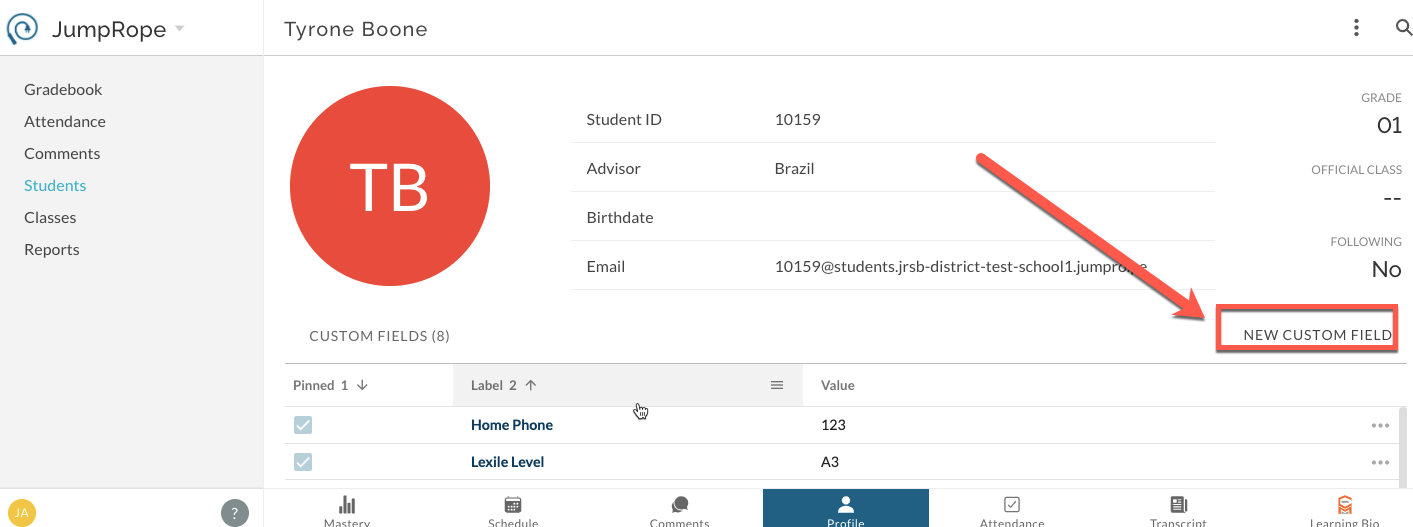
A pinned field is managed administratively and appears on all student profiles.
Was this article helpful?
That’s Great!
Thank you for your feedback
Sorry! We couldn't be helpful
Thank you for your feedback
Feedback sent
We appreciate your effort and will try to fix the article